
The Best TradingView Indicators: Why Default Settings Are Costing You Money
If you have ever loaded an indicator on TradingView, kept the settings it came with, and wondered why your signals felt a half step late, you have already run into the problem this article solves.
Here is the short version. The best TradingView indicators are pre-optimized for each specific stock, instead of using one generic setting for every ticker on the board.
Default TradingView settings are built for no stock in particular, so they tend to fire false signals on fast movers and miss real moves on slower names. Tuning each setting to the stock you are actually trading removes a lot of that guesswork.
Now the honest part. Pre-optimized does not mean guaranteed. No setting, ours or anyone else’s, can promise a winning trade, and all of the performance numbers you see in trading materials are based on historical testing, not a promise about tomorrow. What good optimization does is stack the odds a little more in your favor by matching the tool to the job.
In this guide I will walk you through what makes the best TradingView indicators, why default settings quietly cost you money, how we build the pre-optimized settings into the Green Light Accelerator for more than 100 stocks and ETFs, and how to decide whether this approach fits the way you trade.
At Profits Run, my father Bill and I have spent decades building tools for everyday traders, and the pre-optimized settings inside our indicators are one of the things people tell us saved them the most frustration.
Want to trade with less guesswork and a clearer plan?
Get the same risk-first approach we use to help thousands of everyday traders read the market with more confidence.
What are Pre-Optimized Trading Indicators and why are they the Best TradingView Indicators?
A pre-optimized trading indicator is a TradingView tool that already has its key settings configured and backtested for individual stocks, so you do not have to guess at the numbers yourself. You load the indicator, pick a stock it supports, and the settings that drive its signals are already in place.
Most indicators you find on TradingView ship with one default configuration. A 14-period RSI, a 12-26-9 MACD, a couple of moving averages set to round numbers like 50 and 200. Those defaults are fine starting points for learning, but they are applied identically to every symbol you put them on.
A pre-optimized indicator works differently. The moving average lengths, the thresholds, the exit rules, and the other inputs are adjusted per stock based on how that stock has actually behaved.
Think of it like a good mechanic setting the tire pressure for your specific car instead of pumping every car on the lot to the same number. The right pressure for a pickup is wrong for a sports car. Trading settings work the same way.
Why Do Default TradingView Settings Cost You Money?
Default settings cost you money because a single set of numbers cannot fit the very different personalities of the stocks you trade. A high-flying tech name and a steady utility stock move at completely different speeds, and a setting that reads one of them well will misread the other.
The cost rarely shows up as one dramatic loss. It shows up quietly, in small ways that add up over a year of trading.
You get pulled into a trade a few bars late, so part of the move is already gone. You get shaken out of a good position early because the exit rule was too tight for that stock. You take signals during choppy, sideways stretches that a better-tuned tool would have filtered out.
None of those individually feels like a big deal. Stacked together across dozens of trades, they are the difference between a strategy that works on paper and one that frustrates you in real life.
One Setting Cannot Fit Every Stock
Volatility is the clearest example. A stock that swings four percent on an average day needs more breathing room in its signals than a stock that drifts half a percent.
Use a tight setting on the volatile name and you get whipsawed in and out. Use a loose setting on the calm name and your signals lag so far behind that the move is over before you act.
There is no single number that is correct for both, which is exactly why one default applied to everything leaves money on the table.
The Hidden Cost Adds Up: A Simple Example
Picture two traders following the same swing setup on the same fast-moving stock. One uses a generic moving average length built for the broad market, the other uses a length tuned to that stock’s quicker rhythm.
The generic setting confirms the trend a few bars later, so that trader enters after the first leg of the move is already gone. On a trade that runs eight percent, giving up the first two or three percent to a late entry is a real bite out of the result.
Now run that same small gap across forty trades in a year. A couple of percentage points surrendered on entry after entry, plus a handful of good trades stopped out early by a too-tight exit, can be the entire difference between a green year and a flat one. That is the quiet math behind why settings matter.
Can't I Just Optimize the Settings Myself?
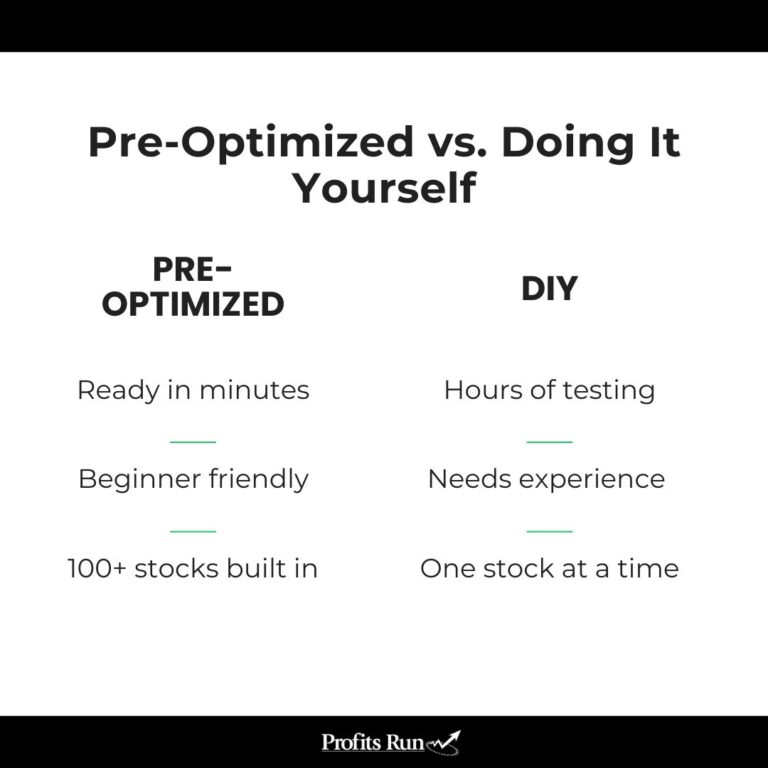
You can, and plenty of skilled traders do. The honest tradeoff is that it takes time, screen experience, and a careful hand to do it without fooling yourself.
The trap most people fall into is curve fitting. That means tweaking the settings until they look perfect on past data, only to watch them fall apart on new data because the numbers were tuned to noise rather than real behavior.
Doing this well for one stock takes patience. Doing it for a hundred stocks, and keeping it current, is a serious project. That is the work a pre-optimized indicator is meant to take off your plate.
What Does It Mean for an Indicator to Be Optimized?
Optimization means testing many combinations of settings against a stock’s price history to find the configuration that would have produced the most consistent, sensible results for that stock. It is a structured search for the inputs that fit how a stock actually trades.
For a swing trading indicator, that usually means tuning things like the length of the moving averages, the threshold a signal has to clear before it counts, the profit target distance, and the exit rules.
Good optimization is not about chasing the single best historical return. It is about finding settings that held up across different market conditions, not just one lucky stretch. Settings that only worked in a roaring bull market are not optimized in any useful sense, because the market will not stay in one mood.
Does Optimization Guarantee Profits?
No, and any tool that tells you otherwise is one to walk away from. Optimization is built on historical data, and the future never repeats the past exactly.
Past performance does not guarantee future results, and the performance figures referenced in any of our materials are hypothetical in nature. Markets shift, a stock’s character can change, and even well-tuned settings will have losing trades.
What optimization gives you is a reasonable starting point grounded in real behavior instead of round numbers picked out of a textbook. That is an edge worth having, as long as you pair it with the kind of risk management we will get to at the end.
How the Green Light Accelerator Pre-Optimizes Settings for 100+ Stocks
The Green Light Accelerator is a TradingView indicator that comes with pre-optimized settings built into the code for more than 100 popular stocks and ETFs, so the right configuration loads automatically for the symbols it supports. You do not configure anything for those names. You load the chart, set your alert, and the tuned settings are already working.
The Accelerator is a short-term trading indicator that combines a defined trading method with our proprietary Green Light technology. It works for both options and stock trading, and a free TradingView account is all you need to run it.
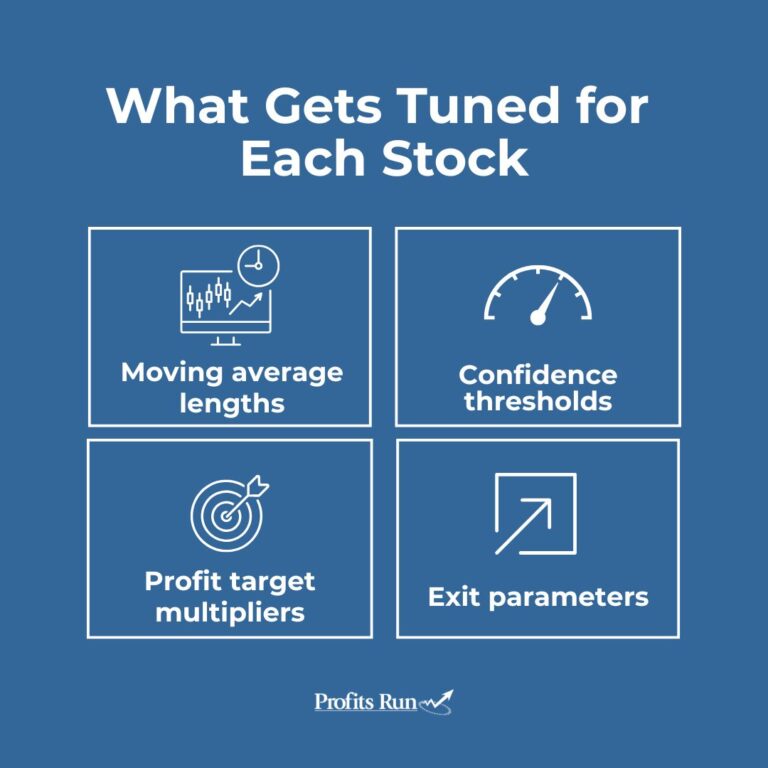
For each of those 100-plus pre-programmed symbols, the moving average lengths, the confidence thresholds, the profit target multipliers, and the exit parameters were individually tested to find a configuration that fit that stock’s tendencies. The goal was a turnkey experience for popular US names, with the per-stock work already done.
What Is the Green Light Score?
The Green Light score rates current trading conditions on a dynamic zero to 100 scale by measuring market choppiness and momentum. It is a quick read on whether the environment favors taking a signal or sitting on your hands.
When the score is favorable, the indicator shows green and looks for specific entry conditions. When conditions are choppy or weak, it shows red and suggests caution.
I like to describe it as a traffic light for trading. It will not tell you the future, but it does help you avoid forcing trades in the kind of sideways markets that grind down so many accounts.
How Are the Settings Chosen for Each Stock?
The process starts with that stock’s own history. Each symbol gets its inputs backtested across a range of conditions to find the combination that produced the most consistent, repeatable results rather than one flashy peak.
Once a stock crosses its confidence threshold and shows green, the system looks for entries using moving average crossovers and trend structure, then applies the tuned profit target and exit rules for that name.
The reason this matters is the same reason the whole article exists. The settings that work for one stock are rarely the settings that work for another, and matching the tool to each stock is where pre-optimization earns its keep.
Pre-Optimized Settings vs. Tuning Them Yourself
Both paths can work. The right one depends on how much time you want to spend and how much you enjoy the tuning process itself.
If you value control above everything and you enjoy the craft of tuning a tool, doing it yourself is a legitimate route. If you would rather spend your limited time placing good trades than tweaking numbers, a pre-optimized indicator gets you there faster.
When Pre-Optimized Indicators Make the Biggest Difference
Pre-optimized settings help most when you are trading several different stocks, when your time is limited, and when you are still building confidence in reading charts. Those are the situations where generic defaults do the most quiet damage.
A trader juggling ten or fifteen names cannot realistically tune each one by hand and keep it current. A busy person with a job and a family does not have evenings free to backtest settings.
A newer trader often does not yet know which settings to trust, which is exactly when a half-tuned tool can teach the wrong lessons. In all three cases, starting from settings that already fit the stock removes a major source of frustration and lets you focus on execution and discipline.
Do Pre-Optimized Settings Work for Options Trading?
Yes. Pre-optimized settings work on the chart of the underlying stock, and that signal is what matters whether you trade the shares or trade options on them.
The Green Light Accelerator is built to support both. Many of our members use the same green signal to buy a call or a put, since a cleaner read on direction and timing helps with options just as much as it helps with stock.
The one thing to keep in mind is that options add time decay and expiration to the picture, so position sizing matters even more. The chart signal tells you when conditions look favorable, but how much you risk on each contract is still a decision you make.
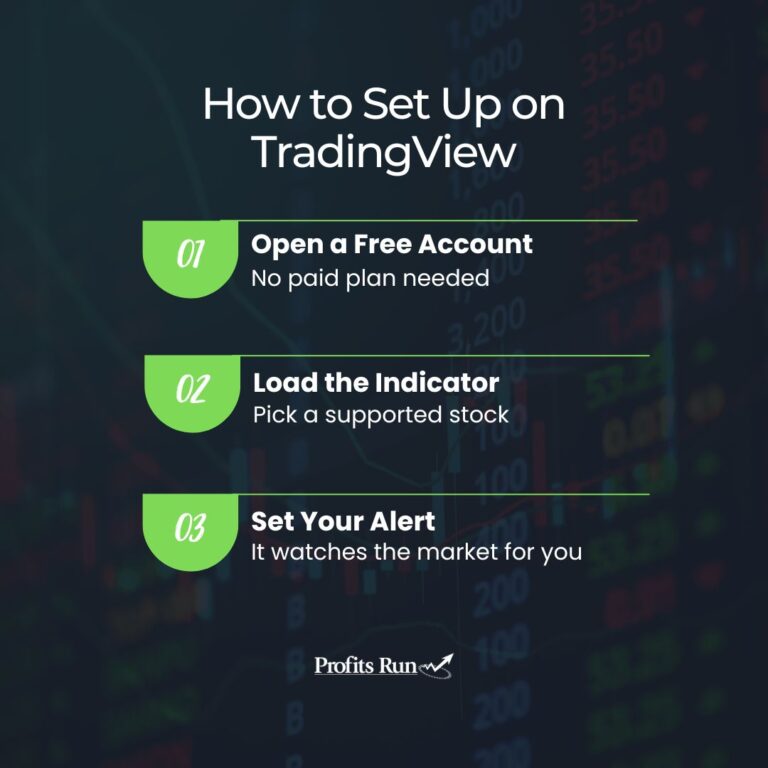
How to Set Up a Pre-Optimized Indicator on TradingView
First, create a free TradingView account if you do not have one. You do not need a paid plan to run our indicators, though paid plans do add more alerts and indicators per chart if you want them later.
Second, add the indicator to your chart and choose one of the supported stocks. The tuned settings for that symbol load automatically, so there is nothing for you to configure on those names.
Third, set an alert so the indicator watches the market for you. Once your alert is active, you only need a few minutes to review a new setup when it appears and decide whether to take the trade.
That last point is the part people appreciate most. After the initial setup, the tool does the monitoring, and you stay in control of the decisions.
Trade With Less Guesswork, Not More Risk
A pre-optimized indicator is a real advantage, but it is a starting point, not a finish line. The traders who do well with any of our tools are the ones who pair good signals with steady risk management.
That means position sizing you can live with. We generally suggest risking no more than two percent of your account on a single trade, or up to five percent for smaller accounts, and only trading with money you can afford to lose.
The settings can be tuned for you, but the discipline is always yours to bring. Match a well-built tool with sensible risk control, and you give yourself a fair shot at the kind of realistic, repeatable results we care about far more than home runs.
If you would like to see what one of the best TradingView indicators built on this approach looks like in practice, the Green Light Accelerator is where our pre-optimized settings live, with more than 100 stocks and ETFs ready to trade and a 90 day money back guarantee behind it.
Ready to stop guessing at your settings?
See the exact pre-optimized approach we use to help everyday traders read the market with more clarity and control.